Updated October 2026
Search for a party planner app and you mostly find calendars with an RSVP button. Useful three weeks out. Useless at 9:40 p.m., when half your friends don't know the party has started, two plus-ones are at the door, and by Sunday nobody remembers the night properly.
Party Passport in Cold Ones is built for the night itself: start the party, invite your crew, let guests check in by QR code, and keep the night as a private memory on your phone.
What Party Passport does
- Start a party in two taps. On the Friends screen, tap Start the party and choose how long it runs: 1 to 5 hours, or anything from 30 minutes to 18 hours. You can extend it while it's going.
- Invite all your friends, a guest list or a group. Start now invites everyone on your friends list. Invite friends first lets you build a custom guest list or pick a saved friend group (up to 15) in one tap. Invited friends get a notification, and anyone at the party can invite their own friends too.
- QR check-in at the door. Anyone who scans the party's QR code can join, friend or not, up to 30 people. Share the same invite as a link for late arrivals, and stop QR joining whenever you like.
- Host controls. Rename the party, remove a guest, end it for everyone, or revive it with the same crew up to 18 hours after it started. If a friend is hosting a party of their own, you can invite their whole party over.
- Live map and messages. Friends who share their location appear on a map of everyone partying right now. Your location is only shared if you allow it, and you can switch it off for any party. Quick replies like "Can I come?" and "Come over!" take one tap.
- Lock Screen countdown. On iPhone, a Live Activity shows the time left on the Lock Screen and in the Dynamic Island, with a button into the games. In the last ten minutes, the host can extend from there.
After the party: a memory, not a feed
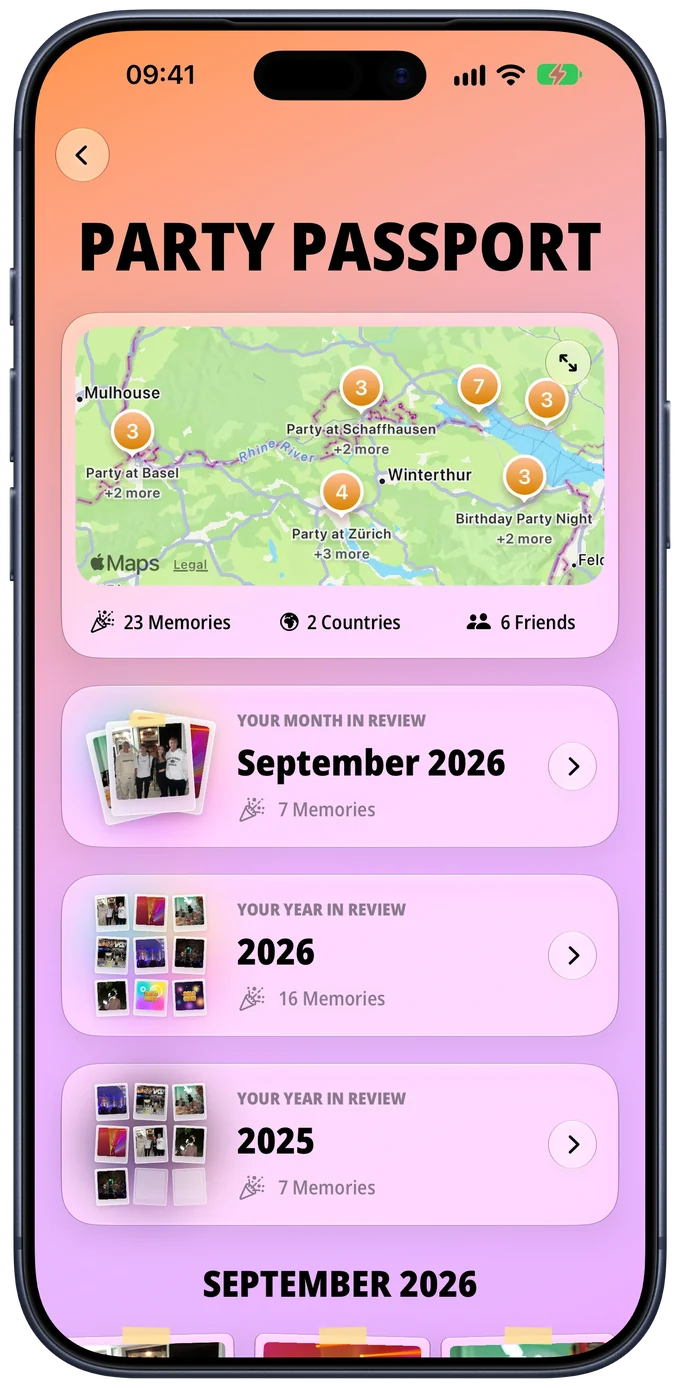
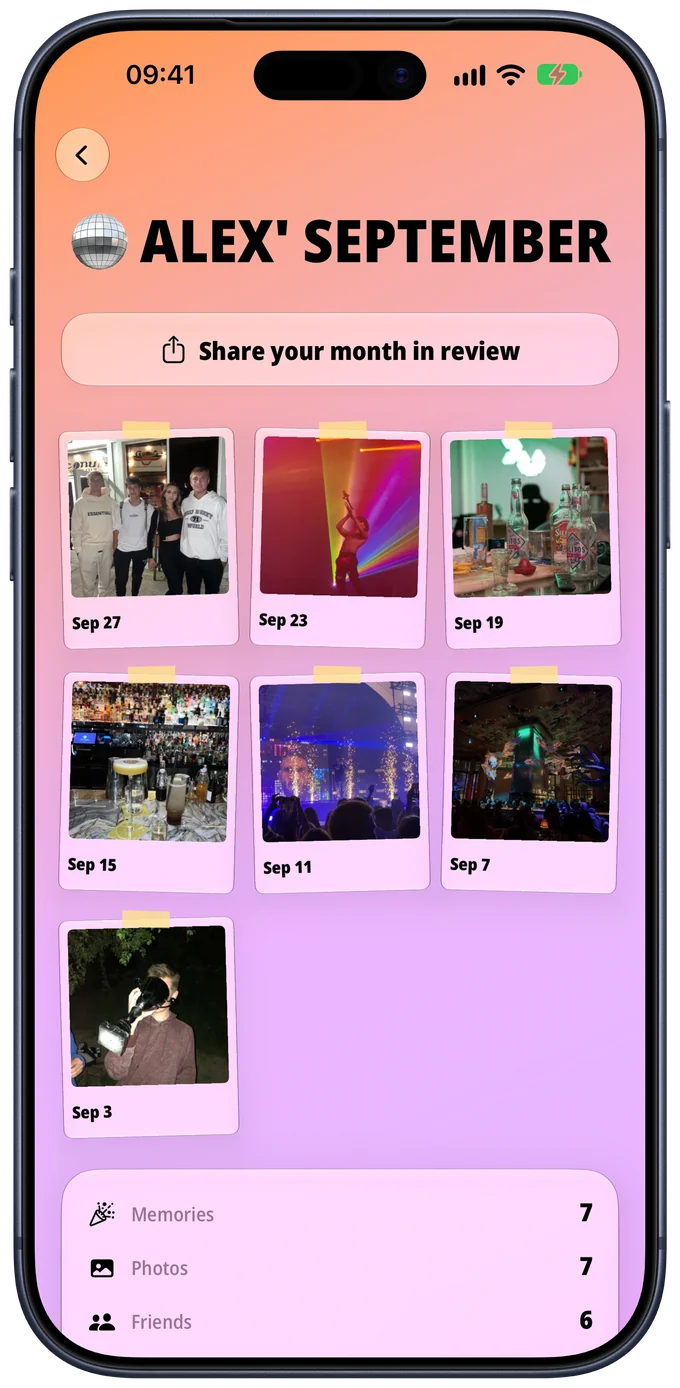
Every party lands in your Party Passport as a stamp: the crew, the games you played on your phone, a photo, the place and a note of up to 280 characters. A history map shows where your nights happened, and monthly and yearly recaps add up your memories, photos, friends, party time, top place, favorite game and busiest month.
Any memory or recap can become a story card in five styles: Polaroid, Album cover, Passport stamp, Neon night and Clean. It shares the photos you pick, the party name, the broad area and the friend count, never names, notes or exact locations. The diary itself stays on your phone; nothing from it is uploaded to Cold Ones.
What it doesn't do
Party Passport doesn't schedule events for a future date or collect RSVPs. No save-the-date, no list of who's bringing chips. Settle the date in your group chat; Cold Ones takes over when the party starts.
A house party plan, built around the app
- Guests (a week before). Settle the date in the group chat, add everyone as a friend in Cold Ones and save them as a friend group, so the invite on the night is one tap. Anyone who scans the QR code without the app lands on a download page and joins once it's installed.
- Games (the day before). Pick three. A mixed crowd with plus-ones: Impostor, free. A big room that needs waking up: Party Mode. Close friends, later on: Paranoia or Truth or Dare. More ideas in house party games.
- Cocktails (that afternoon). Tick what's in your kitchen under Add ingredients, then tap Take me to my cocktails to see which of the 56 recipes you can make without a store run. Batch one drink and have an alcohol-free option ready. Need ideas? Ask the AI bartender on supported devices, or see cocktails for a night out and easy cocktails.
- The night. When the first guests arrive, start the party and invite your group. Keep the QR code ready for the door. Games played on your phone are added to the memory automatically.
- Memories (the morning after). Add the best photo and a note while you still remember the details.
What you need
Party Passport and the Friends features are free and ad-free on iPhone and Android, and need a free account (Apple, Google or email) for you and every guest who joins. The games never need an account and work offline in English, German, Spanish and French. Cold Ones is for adults, and every game works just as well without alcohol.
Frequently asked questions
Can I schedule a party for a future date in Cold Ones?
No. Party Passport starts a party when it actually begins, for anywhere from 30 minutes to 18 hours, and sends the invitations then. It doesn't create events for a later date or collect RSVPs, so settle the date in your group chat and start the party in Cold Ones on the night.
How do guests join my party if they aren't my friends in the app?
Show them the party's QR code. Anyone who scans it can join, friend or not, up to 30 people, and you can stop QR joining at any time. You can also share the same invite as a link. Guests need the Cold Ones app and a free account.
Is Party Passport free?
Yes. Friends and Party Passport are free on iPhone and Android, with no ads. They need a free account (Apple, Google or email); the games don't.
Where are my party photos and notes stored?
On your phone. Memories, photos and notes in Party Passport are not uploaded to Cold Ones. A shared story card shows only the photos you pick, the party name, the broad area and the number of friends, never names, notes or exact locations.